Google Search Console’s New “Generative AI” Tab: Ours Has It. Yours Might Not Yet. Here’s the Deal.


Photo by Andrea Piacquadio from Pexels
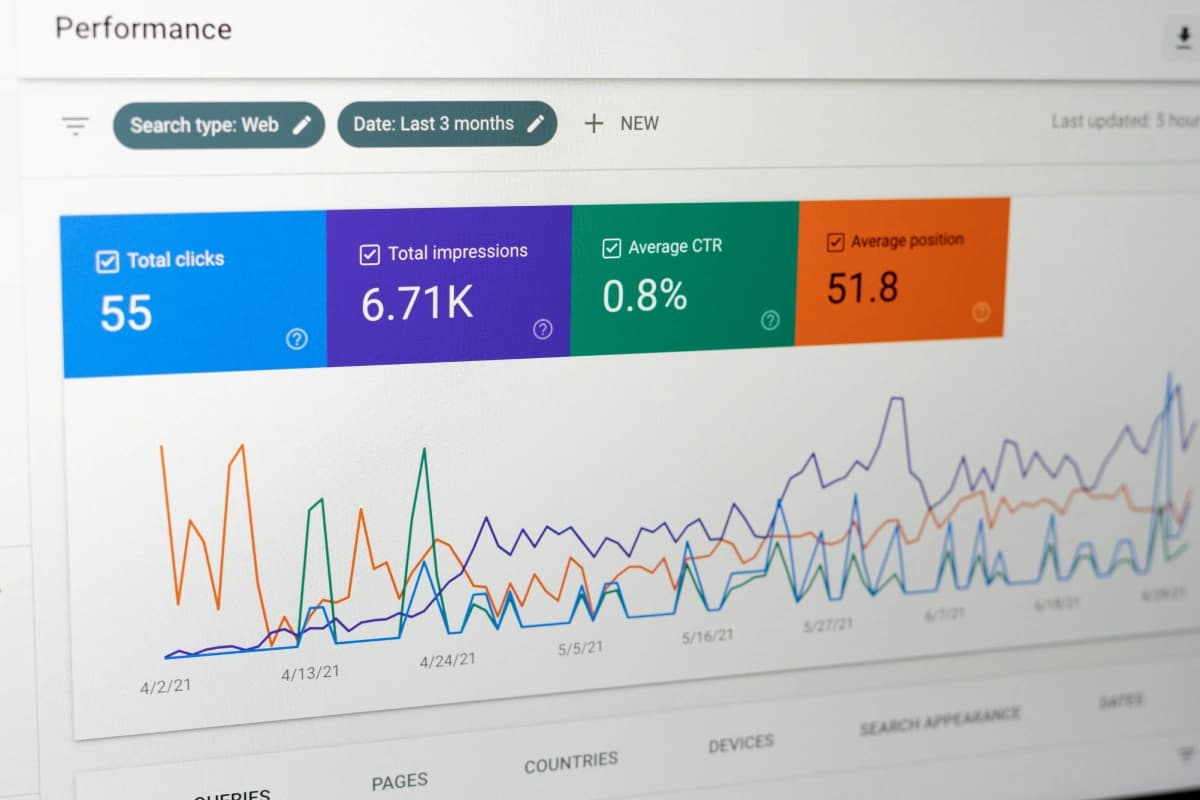
I was poking around Search Console last week and noticed a new option sitting under Performance: “Generative AI.” Clicked it, and there it was, a whole new report I hadn’t seen before. Checked our client accounts right after. Nothing. Same Google account, same setup on our end, completely different menu.
That’s the kind of thing that makes you assume you broke something. You didn’t. Here’s what’s actually going on, and more importantly, what it means for you.
What Google just launched
On June 3rd, Google rolled out a new report inside Search Console built specifically to show you how often your pages get pulled into AI Overviews and AI Mode. Before this, that data existed, it was just buried inside your regular Performance numbers with no way to isolate it. Now it’s its own view: impressions, pages, countries, devices, all broken down separately from your normal search traffic.
One thing it doesn’t give you yet: clicks. Google will happily tell you your page got shown inside an AI answer. Whether a human actually clicked through from it, that’s still a mystery. So think of this as visibility data, not performance data. Useful, but only half the story.
Why we got it and you might not have, yet
Here’s the honest answer, no conspiracy theories needed.
It’s a staged rollout, and it started in the UK. Google’s being upfront that this is going out to a subset of properties first, with UK sites among the earliest wave, reportedly tied in part to pressure from the UK’s competition regulator. A global rollout is coming, no firm date attached. So whether a property has this tab right now has a lot to do with which cohort Google’s switched on, and less to do with anything you did or didn’t configure.
You also need actual AI visibility for it to show anything. Even once a property is eligible, if your site isn’t showing up inside AI Overviews or AI Mode much yet, there’s simply nothing for the report to display. Google’s own help docs confirm this as one of the reasons the tab might stay empty.
Nothing to opt into. No settings toggle unlocks this. It shows up on its own once your property is in the rollout.
Quick correction on something I’d floated earlier, in case it comes up: this has nothing to do with the Google-Extended robots directive. That setting only controls whether Google can use your content to train AI models. This new report, and the opt-out control tied to it, is a completely separate thing.

Photo by Firmbee.com from Pexels
What our own data actually shows
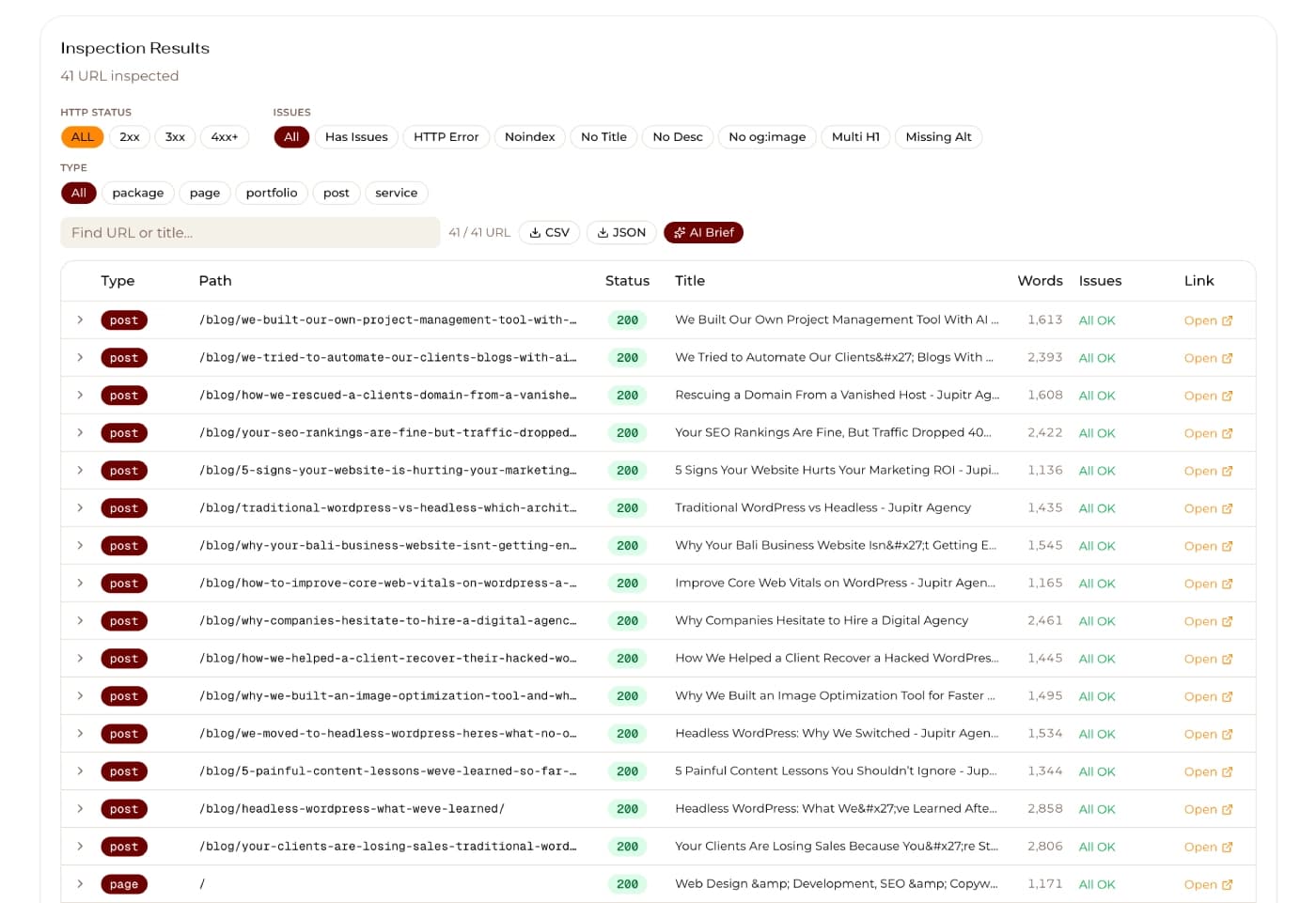
Rather than guess at this in the abstract, I pulled our own numbers.The breakdown is the interesting part.
About 85% of those impression, are just our homepage. That’s Google’s AI treating it as the answer to brand or entity-type questions, not really a content win.
The rest tells a much clearer story. Our top performing blog posts inside AI Overviews right now are:
- “How We Rescued a Client’s Domain From a Vanished Hosting Company”
- “Your SEO Rankings Are Fine But Traffic Dropped 40%. Here’s Why”
- “We Moved to Headless WordPress, Here’s What No One Tells You”
- “We Tried to Automate Our Clients’ Blogs With AI, Here’s the Honest Version”
- “We Built Our Own Project Management Tool With Claude Code and You Can Use It Too”
Meanwhile, our actual service pages, the ones that just describe what we offer, barely register.
That gap is the whole lesson. The posts getting picked up aren’t the ones describing our services in general terms. They’re the ones telling a specific, real story with a clear situation and a clear outcome. “Here’s what happened, here’s why, here’s what we learned” beats “here’s what we do” every time, at least based on what Google’s AI is actually choosing to surface from our own site.
Action items if you want the same result
Audit what you already have, don’t start from zero. Once your Generative AI tab is live, go straight to the Pages view. Whatever’s already getting picked up is your evidence of what Google’s AI already trusts. Start there before writing anything new.
Turn your service pages into stories, or write alongside them. A page that says “we do SEO” is competing with every other agency saying the same sentence. A post that says “here’s the actual client situation, here’s what broke, here’s exactly how we fixed it” gives an AI model something specific and useful to lift. If your service pages are quiet in the Pages tab, don’t necessarily rewrite them, pair them with narrative content that backs up the claim with a real example.
Lead with the situation, not the pitch. Titles like “your SEO rankings are fine but traffic dropped, here’s why” work because they name a specific, recognizable problem before offering anything. That’s a much easier thing for an AI system to match to someone’s actual question than a generic headline built around a keyword.
Keep the answer close to the surface. Every post in that list above gets to its point fast. No long windup before the useful part starts. If your content buries the actual answer three sections deep, an AI system pulling a quick, quotable summary is less likely to find it.
Leave the AI visibility setting alone. Google added a toggle that lets a site block itself from ever appearing in AI Overviews or AI Mode. Default is that you’re included. Unless you have a genuinely specific reason to hide (and for almost nobody we work with is that the case), don’t touch it. AI Overviews and AI Mode combined are reaching billions of searches a month at this point. Opting out is opting out of that entirely.
Pair whatever this report shows with your GA4 data. Impressions without clicks only tell you half the story. Keep watching your actual traffic and conversions so you know whether AI visibility is translating into anything real for the business.
Quick questions we’ve been getting (FAQ)
Is this a bug on my account?
No. If you don’t see the Generative AI tab yet, nothing’s misconfigured. It’s a staged rollout and your property just hasn’t been included yet.
Do I need to turn something on to get it?
No. There’s no opt-in. It shows up on its own once Google includes your property in the rollout.
Should I use the opt-out toggle to block my site from AI features?
For almost every business we work with, no. The default is inclusion, and opting out just means giving up visibility inside AI Overviews and AI Mode, which together reach billions of searches a month. Only worth considering if you have a very specific reason to not want your content surfaced there.
Does this report show me clicks or just impressions?
Impressions only, for now. It tells you your page showed up inside an AI answer, not whether anyone clicked through. Keep watching GA4 alongside it for the fuller picture.
Is this the same thing as the Google-Extended setting in robots.txt?
No, and this trips people up. Google-Extended only controls whether your content can be used to train AI models. This new report and its related toggle are about whether your content appears inside live AI answers, a completely different thing.
What should I actually do while I wait for the tab to show up?
Focus on the content itself. Clear headings that match real questions, the answer stated plainly near the top, current dates, and real expertise behind it. That’s what gets pages pulled into AI Overviews in the first place, tab or no tab.
Bottom line
Nobody broke anything. This is Google testing the waters before going wide, and the properties that don’t have it yet aren’t behind, they’re just further back in the queue. What actually decides whether a site shows up well inside AI Overviews has nothing to do with a settings menu anyway. It comes down to whether your content is genuinely the clearest, most trustworthy answer out there. That part, we can work on together right now, tab or no tab.